blog / AI for Everyone: How to Build Apps That Include People Who Are Often Left Out

Published September 2026, based on the latest accessibility research and real product work.
Quick answer: Accessible app development means building apps that everyone can use, including people who are blind, deaf, have trouble moving their hands, or find things hard to read or understand. About 1.3 billion people, or 16% of the world, live with a disability. Most apps leave them out by accident. Making an app accessible is not hard or expensive if you plan for it early. It also grows your audience, follows new laws like the European Accessibility Act, and makes the app better for everyone. This guide explains how, in simple words.
Think about the last time you used an app in bright sunlight and could not read the screen. Or when your hands were full and you wished you could just speak to it. That small, annoying moment is what some people feel every single time they open an app. For 1 in 6 people in the world, apps are often hard or impossible to use. And most of the time, the app makers never even noticed.
As Tim Berners-Lee, the person who invented the web, once said: "The power of the Web is in its universality. Access by everyone regardless of disability is an essential aspect." That idea is the heart of this article.
What Does "Accessible App" Mean?
An accessible app is one that people can use no matter their abilities. It works for people who see, hear, move, or think in different ways.
Here is what that looks like in real life:
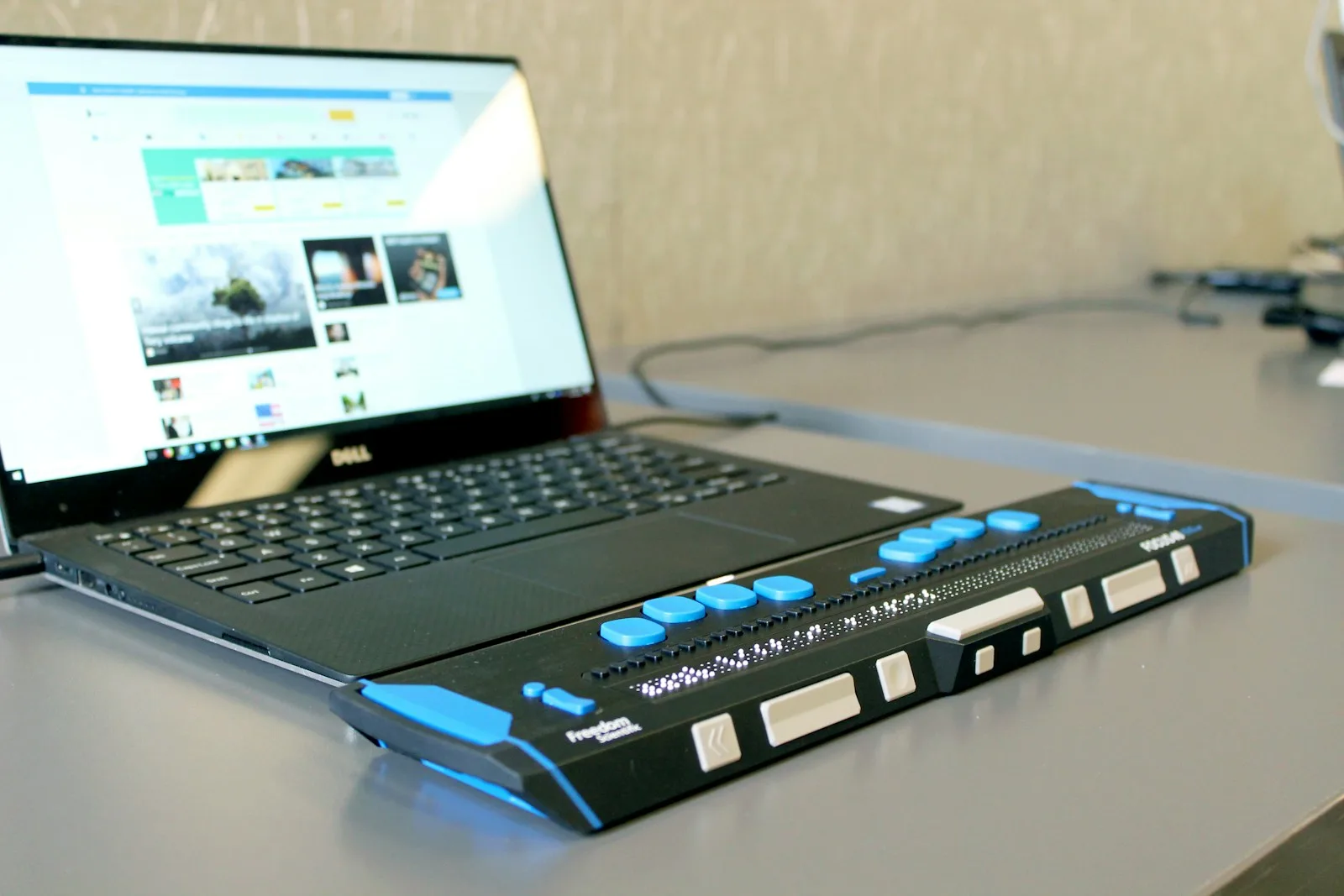
A blind person uses a screen reader, which reads the app out loud. The app must be built so the reader can understand it.
A person with low vision needs big text and strong colors they can see clearly.
A deaf person needs captions on videos and visual alerts, not just sound.
A person who cannot use their hands well needs voice control or large buttons that are easy to tap.
A person with a learning difference needs simple words, clear steps, and no clutter.
None of this is extra or special. It is just good design that includes more people. And when you build it well, the app becomes easier for everyone, not only for people with disabilities.
Why Do Most Apps Leave People Out?
Not on purpose. Most teams simply forget, because they build for people like themselves. This is the quiet problem behind almost every app that excludes people.
A young designer with good eyes and steady hands makes an app that works great for young designers with good eyes and steady hands. They never test it with a blind user, an older person, or someone who struggles to read. So the app ships with hidden walls that keep millions of people out.
The cost of this is real, and it is now measured:
69% of disabled online shoppers leave a website or app when they find it too hard to use.
62% of business leaders say customers have given up on a purchase because of accessibility problems.
That is a huge number of people, and a huge amount of lost money, all from a problem that is easy to fix. Good, human design that thinks about everyone is exactly what thoughtful product design is for.
How Do You Make an App Accessible? (Simple Steps)
You plan for it from the start. Fixing it later is hard. Building it in from day one is easy. Here are the main things.
Make text big and clear. Let users make it bigger. Use strong color contrast so words are easy to read.
Support screen readers. Label every button and image so the reader can describe them. Apple and Android both give tools for this in iOS and Android apps.
Add captions and visual alerts. Never use sound alone. Show important things on the screen too.
Make everything easy to tap. Big buttons, lots of space, and support for voice control help people who cannot use small targets.
Use simple words. Short sentences and clear steps help people with learning differences, and honestly, they help everyone.
Test with real people. The most important step. Ask people with different abilities to try your app. They will show you what you missed.
There are also clear rules to follow, called WCAG (Web Content Accessibility Guidelines). The newest version, WCAG 2.2, added rules for people with thinking and memory differences for the first time. Following these rules is how you know your app is truly open to all.
Is Accessibility the Law Now?
In more and more places, yes. Accessibility is moving from "nice to have" to "you must do this."
In Europe, the European Accessibility Act now requires many digital products and services to be accessible. In the United States, the ADA (Americans with Disabilities Act) has led to many lawsuits against apps and websites that leave people out. The message is simple: building an app that excludes people is now a legal risk, not just an unkind choice. Building it right from the start protects you and welcomes millions of new users at the same time.
How Can AI Make Apps More Accessible?
AI is one of the best things to ever happen to accessibility. It can open doors that were closed for a long time.
Here are real ways AI helps:
Live captions turn speech into text on the screen for deaf users, in real time.
Image descriptions let AI describe a photo out loud for a blind user.
Voice control lets people run an app fully by speaking, with no tapping needed.
Simple-language mode can rewrite hard text into easy words for people who need it.
Real-time translation helps people understand content in their own language.
Olearis has built exactly these kinds of caring products. One example is a supportive app that helps people with disabilities connect and feel included. Another is a gentle voice companion for older people, made to reduce loneliness through warm, simple talking. You can see this kind of human, health-focused work in our medical and health projects and across the Olearis case studies.

Why Accessible Apps Are Also Good for Business
Doing the right thing and the smart thing are the same here. Accessibility is not a cost. It is a growth move.
Think about it simply:
You reach 1.3 billion more people, a huge market most apps ignore.
You keep the customers who would have left because the app was too hard.
You follow the law and avoid lawsuits.
You make the app better and clearer for every user, not only some.
An accessible app is just a better app. It works for more people, in more situations, on more days. That is why the teams who care about it end up with products people love and keep.
Why Companies Build Inclusive Apps With Olearis
Olearis has shipped 400+ products and scaled apps past 12 million users, including apps built for people who are often left out, from users with disabilities to older adults who need gentle, simple tools. The team knows how to build for screen readers, voice control, captions, and clear design, and how to test with real people who have different needs. Olearis treats accessibility as part of good design from day one, not a fix at the end. Building an app for everyone is not harder. It is just more human, and it is what this team does.
FAQ: Accessible and Inclusive App Development
What is accessible app development?
It is building apps that everyone can use, including people who are blind, deaf, cannot use their hands well, or find things hard to read. It uses tools like screen readers, captions, voice control, big text, and simple words so no one is left out.
How many people need accessible apps?
About 1.3 billion people, or 16% of the world, live with a disability that affects daily life and using apps. That is 1 in 6 people, a huge group most apps ignore by accident.
Is app accessibility required by law?
In many places, yes. The European Accessibility Act now requires many digital products to be accessible, and in the US the ADA has led to many lawsuits over apps that leave people out. It is now a legal risk, not just a kind choice.
What is WCAG?
WCAG stands for Web Content Accessibility Guidelines. They are the main rules for making apps and websites usable by everyone. The newest version, WCAG 2.2, added rules for people with memory and thinking differences for the first time.
How can AI help with accessibility?
AI can add live captions for deaf users, describe images out loud for blind users, allow full voice control, rewrite hard text into simple words, and translate content in real time. It opens doors that were closed for many people.
Is it expensive to make an app accessible?
Not if you plan for it from the start. Building accessibility in from day one is easy and cheap. Fixing it later is the expensive part. And it grows your audience by up to 1.3 billion people, so it pays for itself.
Want to build an app that truly works for everyone, or fix one that leaves people out? Tell Olearis about your product, and get an honest, friendly plan for making it accessible from day one, so no one gets left behind.