blog / How to Build a Watch Party App - Real-Time Sync, Chat, and Zero Lag

The first time I tried to do a “movie night” long-distance, it was comedy in the worst way.
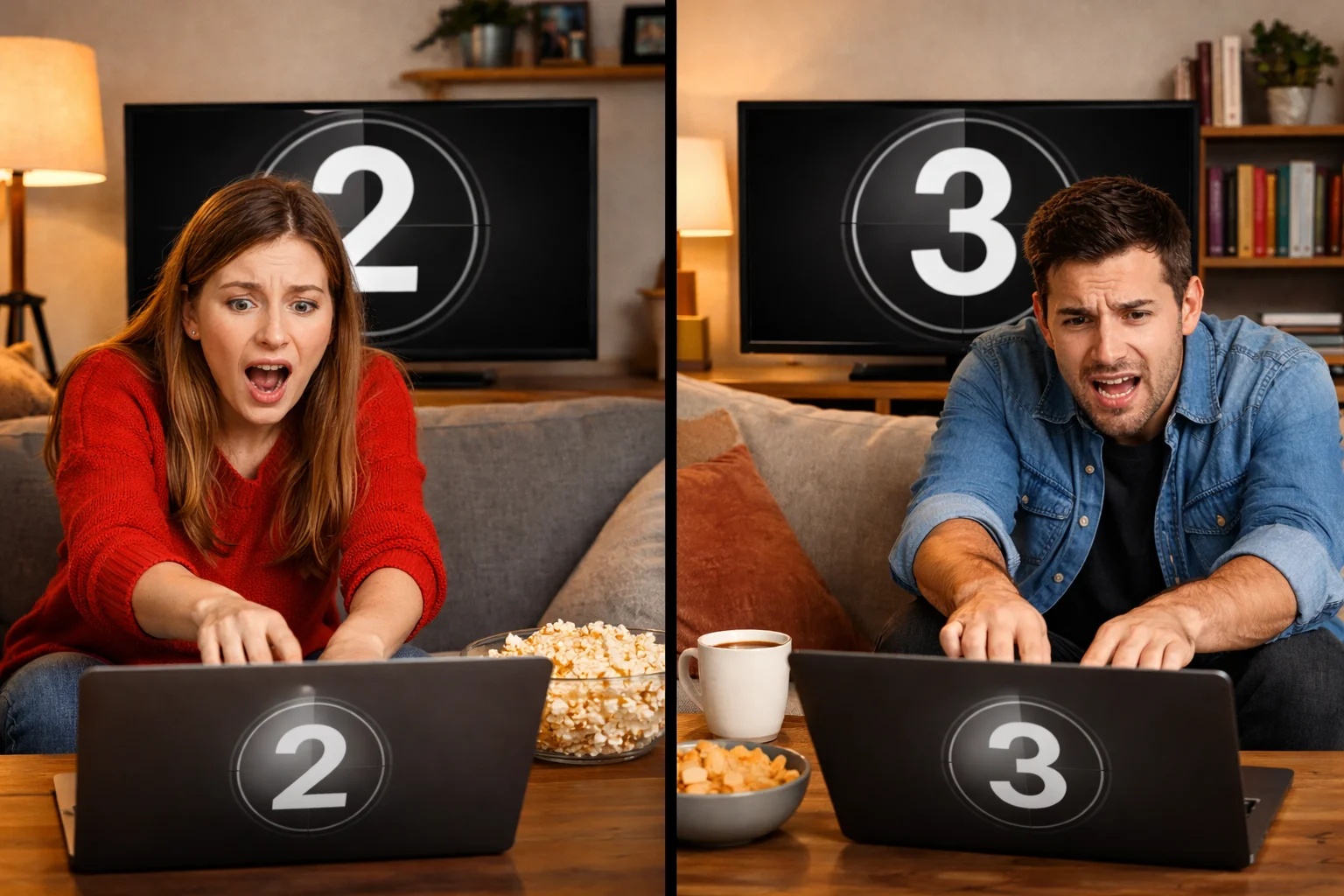
We did the classic countdown: “3… 2… 1… play”
Except one of us buffered, the other hit “skip intro,” and suddenly we were watching the same show in two different timelines. Then came the group chat: “Wait, are you at the scene with the dog?” “No, I’m still on the recap.” “How are you behind again?”
That tiny frustration is why a watch party app (also called a co-viewing app) can feel like magic when it’s done right. It creates a shared moment without forcing everyone into a full-on video call. It’s also been a lifeline for long-distance couples, a social “replacement” during the pandemic, and a surprisingly good format for online learning - like language groups watching content together, pausing, replaying, and discussing in real time.
But building one is not “just add chat to a video player.” Watch parties are one of those products that look easy until you ship - and then the real headaches start.
Below is the blueprint we use in watch party app development: synchronized video playback, real-time chat, smart latency handling, and the hidden issues (DRM, scaling, moderation, platform changes) that can break the experience overnight.
What Is a Watch Party App (Co-Viewing App) and Why People Use It
A watch party is a shared room where people watch the same content together, with messaging and reactions layered on top. The core promise is simple:
“We’re seeing the same moment at the same time.”
The demand comes from a few very real life scenarios:
Watch Party Apps for Long-Distance Couples
For couples living apart, co-viewing becomes a routine. It’s not about “watching a movie.” It’s about doing something together without planning a whole date night. When sync is good, it feels effortless. When sync is bad, it’s basically a relationship stress test.
Watch Parties During the Pandemic
When everything went remote, watch parties became the easiest “social night” that didn’t require a perfect schedule. Even now, the habit stuck. People are used to shared online experiences.
Watch Party Apps for Online Learning and Language Study
This is an underrated use case. Remote learning is normal now. Watching shows or educational content as a group - with pausing, replaying, and chat prompts - works surprisingly well for language learners and study groups.
Watch Party App Development - What You’re Really Building
A co-viewing app is a real-time system with emotional UX. Your product lives or dies on three pillars:
Synchronized video playback - everyone stays aligned, even on bad networks
Real-time chat - the social layer that makes it feel “together”
Low latency - reactions land on the right moment, not 30 seconds late
The scary part: small imperfections don’t look “a little worse.” They look broken. People can tolerate a slightly ugly UI. They won’t tolerate a room that drifts out of sync.
Synchronized Video Playback - How to Keep Everyone in Sync
This is the part most founders underestimate. Sync is not a one-time “set timestamp.” It’s continuous alignment and recovery.
Host-Controlled Watch Party Rooms vs Shared Controls
You basically have two models:
Host-controlled rooms
The host is the source of truth. The room follows host play/pause/seek. This is the best default for creator-led watch parties and large groups. It reduces chaos.
Shared controls
Anyone can pause or seek. This sounds friendly, but it often turns into “someone keeps messing with the timeline.” If you choose this, you’ll need roles and permissions anyway.
Most successful watch parties quietly end up with roles:
host
co-host
viewer
Drift Correction, Buffering, and “Catch Up to Host”
Even if everyone starts at the same timestamp, drift happens:
different device performance
network jitter
buffering
ads or “skip intro” behavior
A strong system does three things:
detects drift (someone is behind or ahead)
corrects gently (small speed adjustments or micro-seeks)
offers a clear action when needed (“Catch up to host”)
The UX should make catching up feel normal, not like an error.
Handling Seek, Pause, Skip Intro, and Ads Without Breaking Sync
This is where “new release, new headache” becomes your weekly reality.
The moment you support real content platforms, you’ll face:
“skip intro” buttons that change timestamps
different ad loads for different users (especially on ad-based plans)
autoplay next episode timing differences
users resuming from different playback states
The best strategy is to define what sync actually means in your app:
Are you syncing exact timestamps?
Or are you syncing “events” (pause, play, seek) and allowing some variance?
If you don’t define it, the product will define it for you - through angry feedback.
Real-Time Chat for Watch Parties - Features, Moderation, and Safety
Chat is what makes a watch party feel alive. It’s also where products get burned.
Real-Time Chat Features That Feel Right
Minimum viable chat for co-viewing:
live text chat
quick reactions (emoji taps)
presence (“Alex joined”, “Mia left”)
message timestamps tied loosely to playback
If you want it to feel premium:
reply threads
pinned messages (host announcements)
“reaction bursts” (like applause moment)
lightweight polls (“Pause for a quick question?”)
Anti-Spam and Rate Limits for Watch Party Chat
The second your app gets traction, spam shows up. Not “maybe.” Always.
You’ll want:
rate limits per user/device
duplicate message detection
cooldowns for new accounts
basic profanity filtering (depending on your audience)
Moderation Tools: Mute, Kick, Report, and Room Rules
If you build communities or creator rooms, moderation is not optional.
At minimum:
mute user
kick user
report message
room rules + host controls
Without this, you’re building a growth engine that eventually becomes a safety problem.
WebRTC vs WebSockets for a Watch Party App
Founders ask this early, so here’s the clean answer: they solve different problems.
WebSockets for Playback Sync and Real-Time Chat
For synchronized playback and real-time chat, WebSockets (or a similar real-time messaging layer) are usually the right foundation:
low overhead
reliable event delivery
easier to scale for rooms
WebRTC for Voice/Video Watch Parties
If you want “watch together while on camera,” WebRTC is the typical choice. But it brings real cost:
TURN servers
more edge cases on mobile
battery drain
quality drops on weak networks
A Practical Architecture: WebSockets First, WebRTC Later
A lot of products win by launching with:
synchronized video playback + chat (WebSockets)
Then adding:voice/video (WebRTC) once retention proves the feature is worth the complexity
Low Latency Watch Party App - How to Reduce Lag and Improve UX
“Zero lag” is a vibe, not a literal number. But you still need to treat latency as a product metric.
Latency Metrics That Matter
Don’t just measure server ping. Measure:
time from host action → everyone sees it
time from message send → message visible
average drift between users
“Zero Lag” UX Tricks That Feel Instant
A few patterns that help:
optimistic UI (show the action immediately, then confirm)
drift correction in small increments
“catch up” button that doesn’t feel like failure
preloading room state before the player fully loads
Scaling Real-Time Rooms for Spikes and Viral Growth
Watch parties can go from “normal” to “viral” fast - a creator posts a link and you suddenly have thousands of concurrent rooms.
Scaling isn’t just servers:
presence events can flood your system
chat throughput spikes
room state updates can become noisy
You need efficient room state, batching, and guardrails to keep the experience stable.

DRM and Content Rights in Watch Party Apps
This topic decides your architecture.
There are two common directions:
Overlay approach
Users watch content on an existing platform. You sync playback events and provide chat. Faster to launch, but you depend on third-party UI changes.
First-party player
You control the player and UX, but now you’re dealing with DRM and licensing realities. More control, more responsibility.
The key lesson: platform changes are not rare. They’re constant. Your roadmap needs ongoing maintenance, not a “ship it and forget it” mindset.
Watch Party App Features That Drive Growth and Retention
Once your core sync is solid, growth features become meaningful:
invite links that join in one tap
scheduled watch parties with reminders
creator mode (host controls, pinned chat, spotlight)
learning mode (pause points, replay clips, shared notes)
cross-platform support (web + mobile)
This is where strong mobile UI/UX design services matter. Co-viewing is emotional. If the room feels cluttered or confusing, people don’t come back.
Custom iOS App Development and Mobile UX for Co-Viewing
A lot of founders end up searching for:
custom iOS app development, custom iOS application development, custom iPhone app development, custom iPhone application development, and mobile UI/UX design services because co-viewing needs serious polish.
On mobile, the pain is real:
player behavior differs between devices
backgrounding breaks state if you’re not careful
battery drain becomes a review killer
network switching (Wi-Fi to LTE) can desync rooms
And this category almost always needs post-launch technical support. New OS versions, new streaming player behaviors, new edge cases - you’re never “done.”
Why Build Your Watch Party App With Olearis
Watch party apps don’t fail because the idea is bad. They fail because the experience is fragile - and real users are messy. Someone’s on hotel Wi-Fi. Someone’s on an older iPhone. Someone has ads. Someone’s chat gets raided. Someone’s stream drifts and the jokes land on the wrong scene.
At Olearis, we build co-viewing products like they’re meant to survive real life:
stable synchronized video playback with drift handling and recovery flows
real-time chat designed with moderation and safety from day one
low-latency architecture that’s measured, tuned, and scalable
mobile-first execution (the difference between “cool demo” and “daily habit”)
a roadmap built for maintenance, updates, and ongoing product growth
If you want a watch party app that feels effortless - the kind people share because it “just works” - Olearis is the team that can build it with you.